
MAC Client Installation (for MAC OSX 10.9, 10.10, 10.11, 10.12, and 10.13)
Applicable OS Versions
- OSX 10.9 Mavericks
- OSX 10.10 Yosemite
- OSX 10.11 El Capitan
- OSX 10.12 Sierra
- OSX 10.13 High Sierra
(For users who use OSX 10.6, 10.7 and 10.8, please do not use this instruction. Go here.)
Prerequisite
You should have a recent version of Java installed. To check it, you can open System Preferences and if you see a Java icon you already have Java installed on your system. Here is a screen shot .
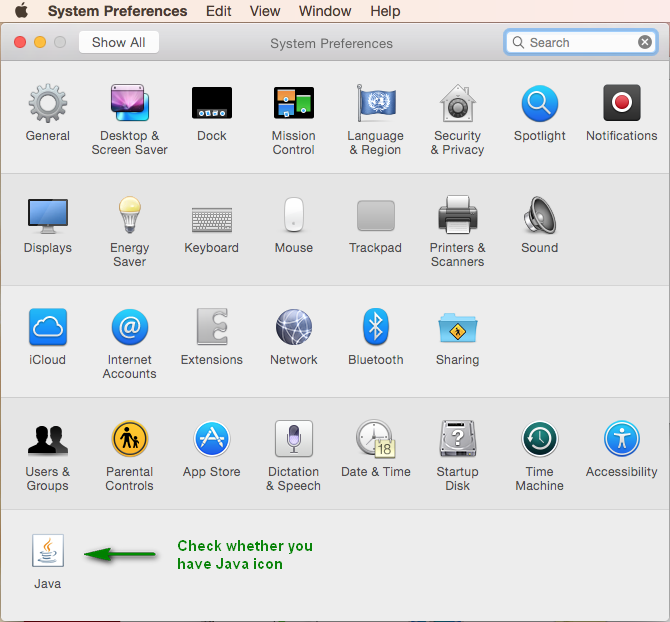
If you do not see the Java icon in System Preferences, please install it with the following instruction.
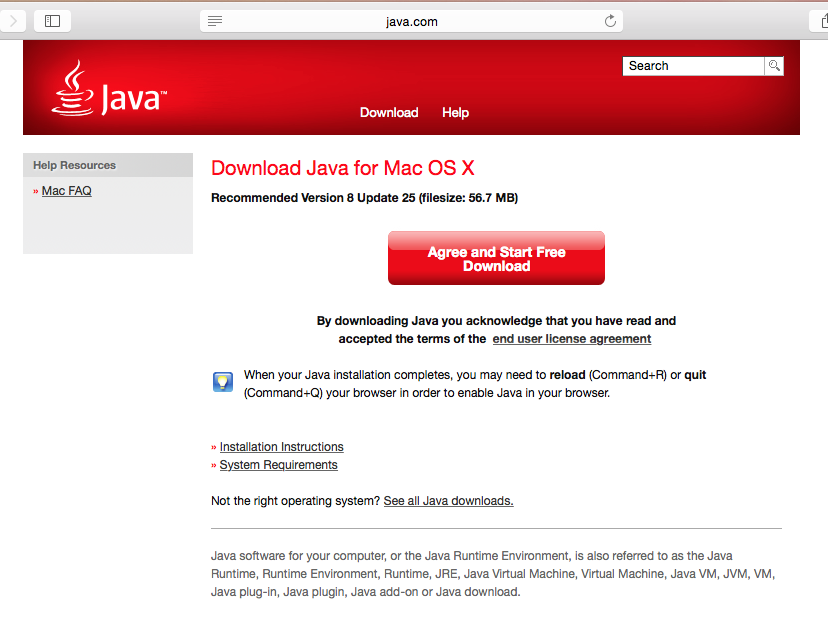
- Open a browser and go to page www.java.com. Here is the screen.
- Click the Free Java Download button to proceed. Then you will see this screen.
- Follow the steps to install Java.

Install and Configure Worksnaps
- Download the Worksnaps Client package. The package is in DMG format.
- Click on the DMG file to launch it.
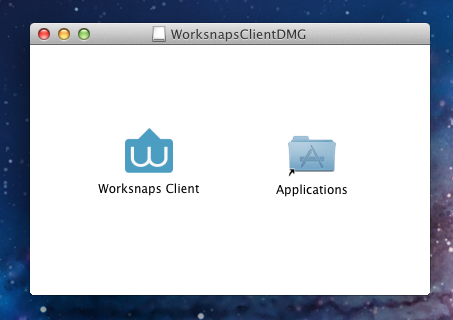
- You should see an installation window like this one . Just drag the Worksnaps Client icon to the Application folder.
- (Important) Please follow this instruction to configure accessbility. In order for Worksnaps Client to work properly, you need to enable Accessbility on your system.
- Go to you Applications folder and you should see Worksnaps Client. Just click to launch it.